
Press Kit
Everything you need to write about ClipMark: assets, product descriptions, and facts. All assets may be used for editorial coverage of ClipMark.
Fact Sheet
| App name | ClipMark |
|---|---|
| Tagline | Your second memory for everything you copy |
| Category | Clipboard Manager • Productivity • Knowledge Management • macOS Utility |
| Platform | macOS 13.3 (Ventura) or later — universal binary (Apple Silicon & Intel) |
| Current version | 2.1 |
| Price | US$17.99 — one-time purchase, no subscription (US price as of October 2026; local pricing may vary) |
| Developer | Smart-Byte GmbH |
| Founders | Mario Heubach (Founder & CEO), Matthias Merkel (Co-founder & CTO) |
| Website | https://clip-mark.com |
| Mac App Store | https://apps.apple.com/app/id6455540623 |
| Press contact | support@smart-byte.com |
Product Descriptions
Ready to use in four lengths. Click to copy.
~50 words
ClipMark is a native clipboard manager for macOS that automatically saves everything you copy — text, links, code, images, and files — and makes it instantly searchable. Your second memory: instead of losing what you copied, everything stays a few keystrokes away. Privacy-first, optional iCloud sync, one-time purchase, no subscription.
~100 words
ClipMark is a native clipboard manager for macOS that automatically saves everything you copy and makes it instantly searchable.
Rather than treating the clipboard as temporary storage, ClipMark transforms it into a permanent, searchable knowledge archive. Whether you copy text, links, code snippets, images or files, everything remains just a few keystrokes away.
Built with native Apple technologies, ClipMark integrates seamlessly into macOS and can optionally sync your history across your Macs through your own private iCloud.
Designed for developers, designers, writers, researchers and productivity enthusiasts, ClipMark combines speed, privacy and thoughtful user experience in a lightweight native application.
~250 words
ClipMark is a native clipboard manager for macOS, built for people who copy and paste for a living — developers, designers, writers, and anyone juggling snippets across apps. It lives quietly in the menu bar and captures everything that hits the clipboard: text, rich text, images, screenshots, links, files, and code. Rather than treating the clipboard as temporary storage, ClipMark turns it into a permanent, searchable knowledge archive — a second memory where nothing gets lost.
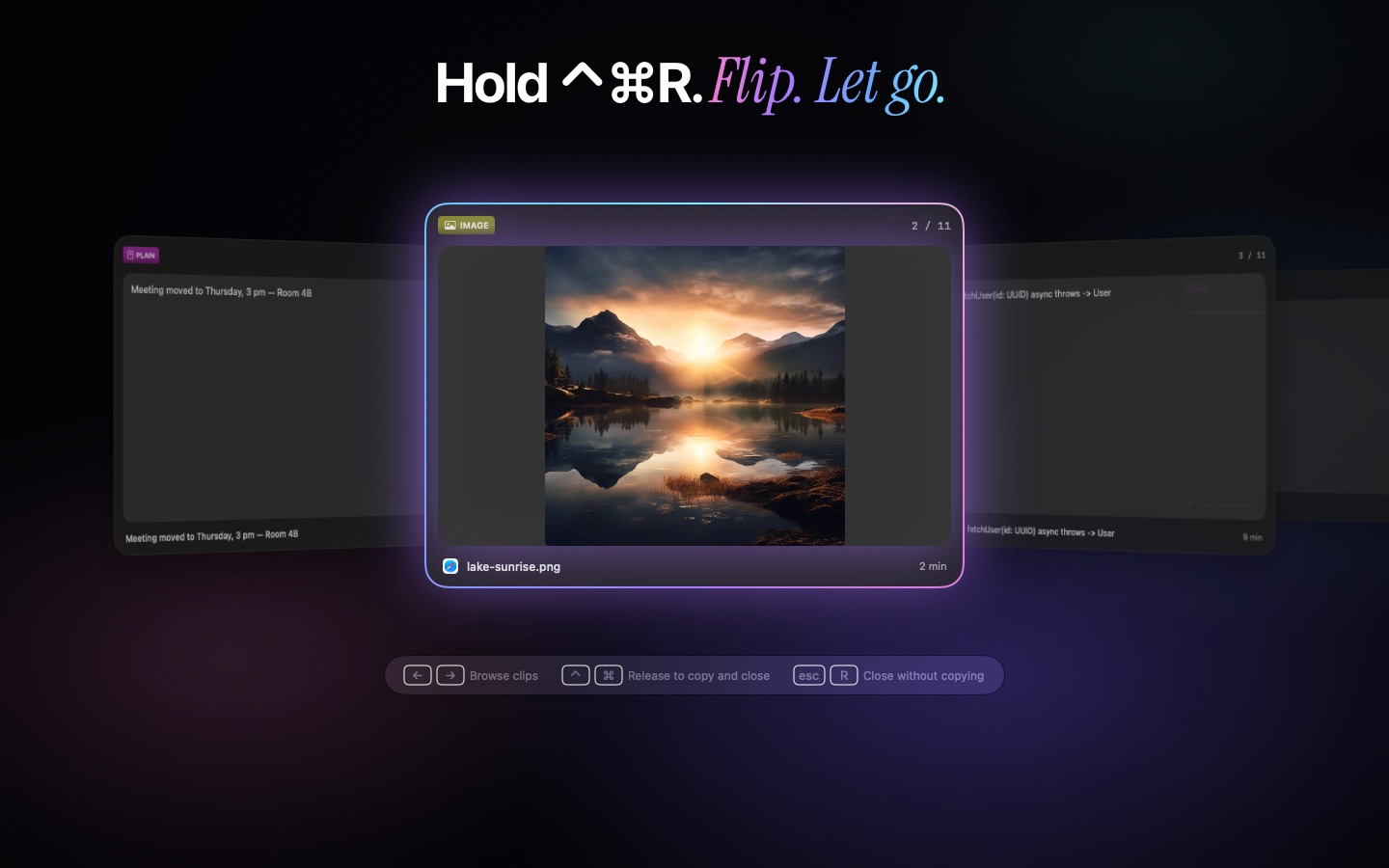
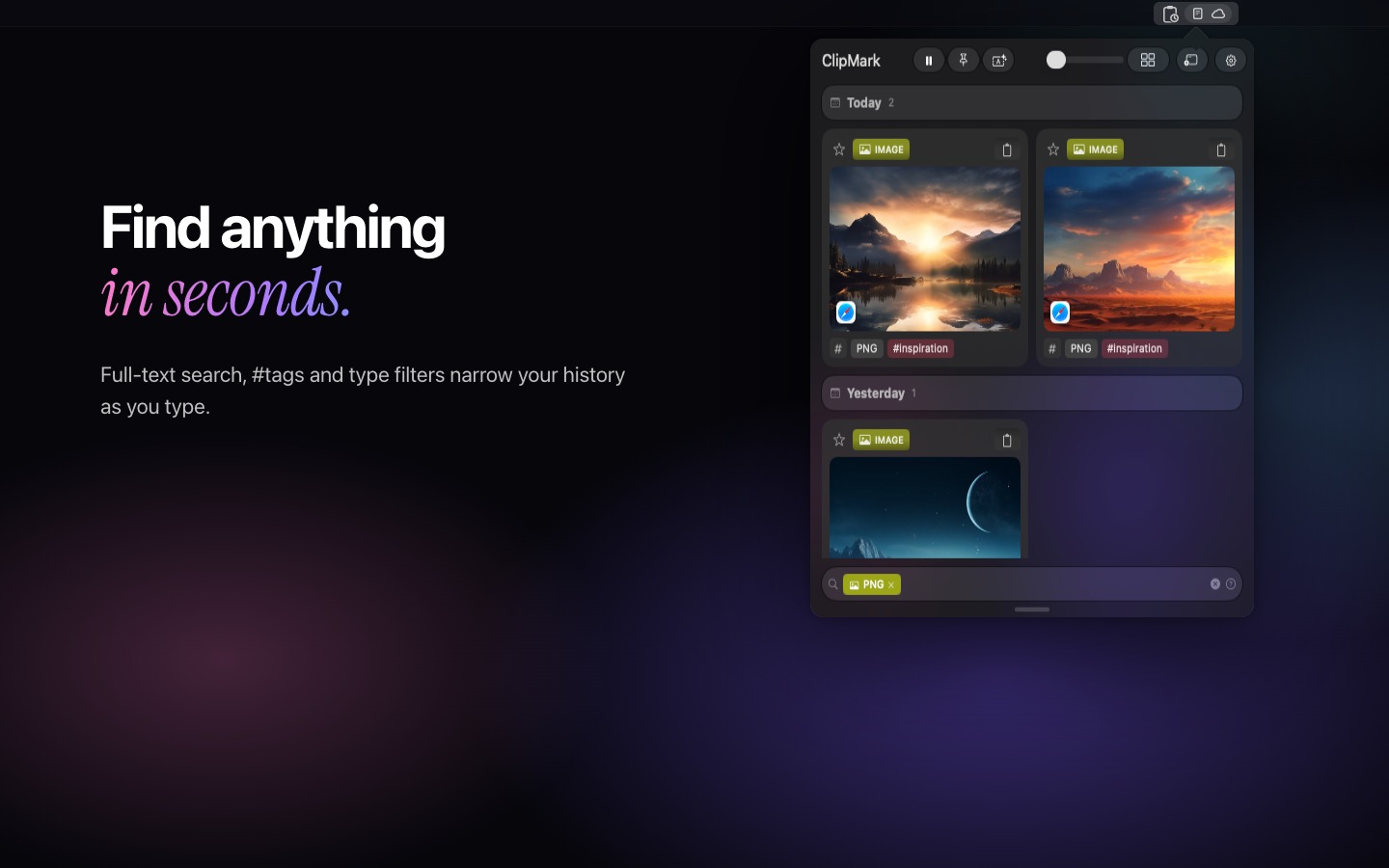
What sets ClipMark apart is organization. Clips can be tagged by project, client, or topic, and found again with fuzzy search or qualifiers like #invoice or type:png. Favorites are protected from cleanup and can be assigned personal global hotkeys, so a signature, address, or code snippet pastes from anywhere — without even opening the app. Quick Recall puts the history on screen: hold Control-Command-R, flip through your clips and let go to copy. Queue paste inserts a series of clips one after another, drag & drop moves any saved item straight into another app in the right format, and built-in OCR extracts text from images. Ten text transformations — from case changes to Base64 and JSON formatting — clean up snippets before they are pasted.
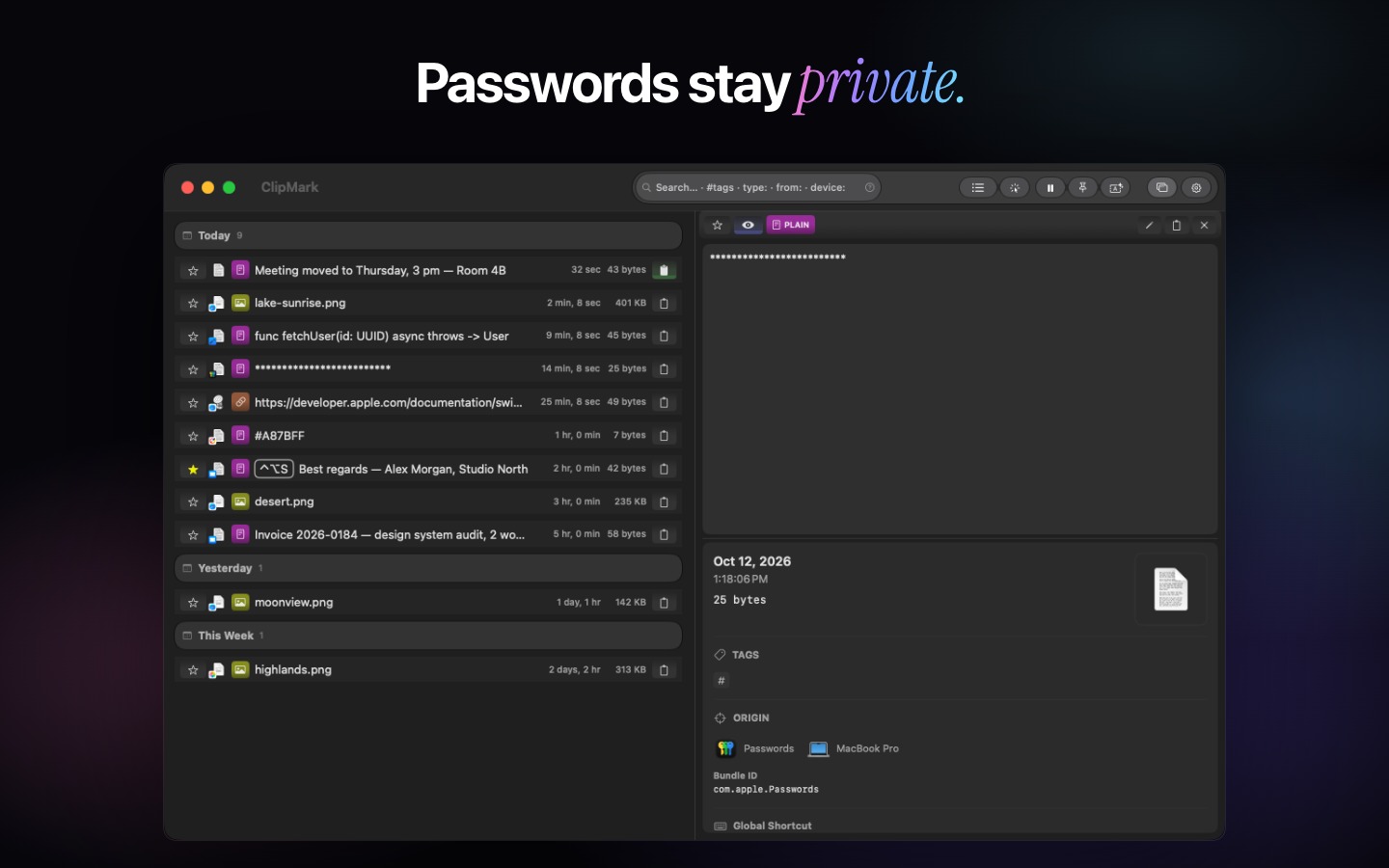
Privacy is a core design decision, not an afterthought. Passwords are detected and masked automatically, individual apps can be excluded from tracking, and the history stays on the Mac. iCloud sync is optional and off by default; it uses the user's own private iCloud database, encrypted by Apple in transit and on its servers.
ClipMark is built entirely with SwiftUI and AppKit — no Electron, no background bloat. It requires macOS 13.3 (Ventura) or later and is available on the Mac App Store as a one-time purchase of US$17.99. No subscription, and every future update is included.
~500 words
The clipboard is one of the most heavily used features on any Mac — and one of the most fragile. It holds exactly one item, forgets it the moment something new is copied, and offers no way back. ClipMark fixes that. It is a native clipboard manager for macOS that quietly captures everything you copy and keeps it organized, searchable, and ready to paste — a second memory for everything copied five minutes or five months ago.
ClipMark is built for people who copy and paste for a living: developers moving snippets between editor, terminal, and browser; designers collecting assets and color values; writers and researchers gathering quotes and links; support and sales teams reusing the same responses dozens of times a day. Instead of retyping, re-finding, or re-copying, everything is already there — organized the way its owner thinks.
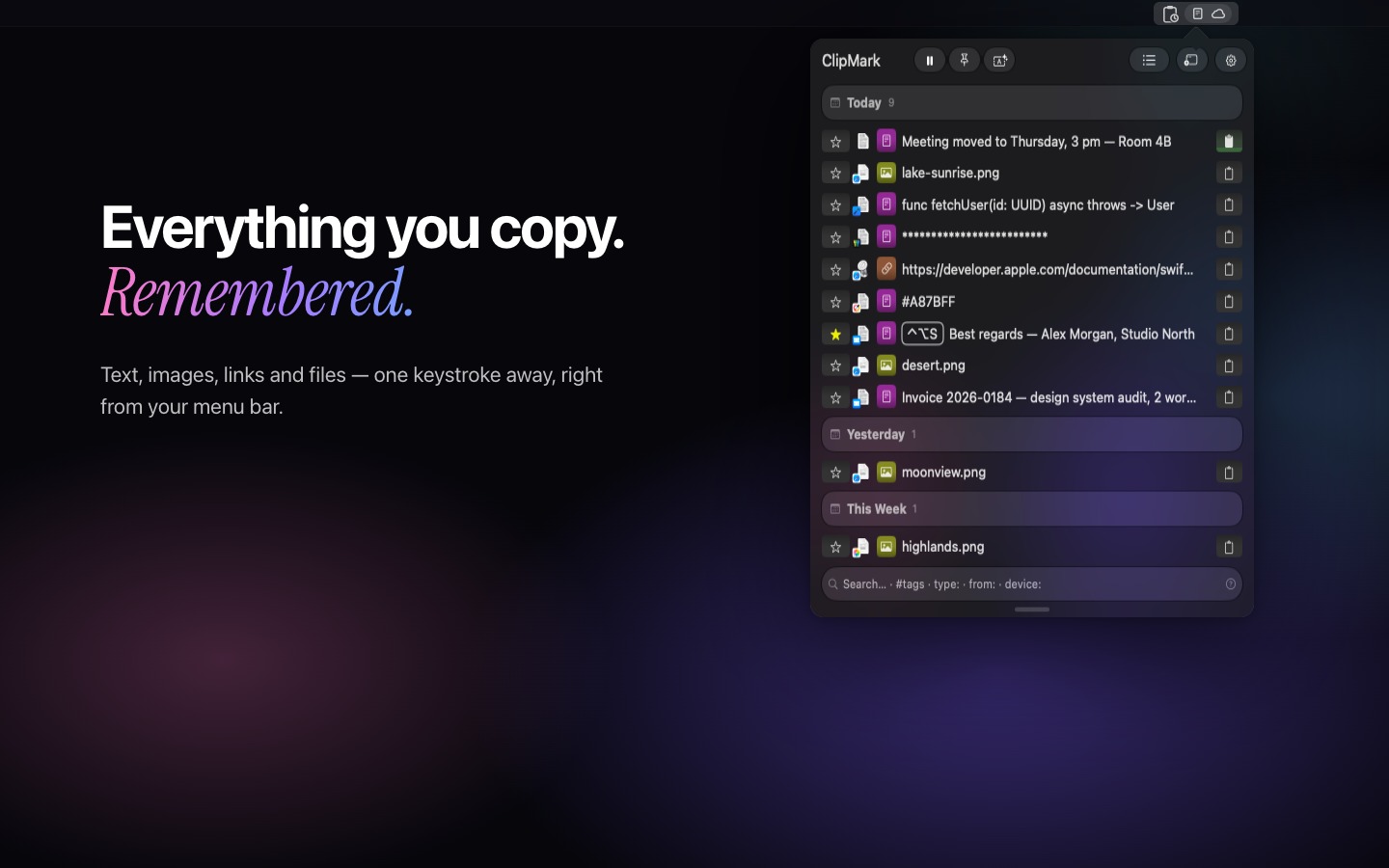
The app lives in the menu bar and works system-wide. Text, rich text, HTML, images, screenshots, links, files, and code are captured automatically, deduplicated, and displayed as visual cards with previews. Every clip remembers its origin: which app it was copied from, on which device, and — for web content — the source URL. Copying the same thing twice never clutters the history; ClipMark simply moves the existing clip back to the top.
Retrieval is where ClipMark shines. Fuzzy search finds clips by content, while qualifiers like #projectname or type:png narrow the history down by tag or format. Tags can be created on the fly and assigned by drag & drop. Favorites are protected from cleanup and can be given personal global hotkeys, so frequently used snippets — a signature, an address, a code block — paste from anywhere without opening the app. Quick Recall shows the whole history full-screen: hold Control-Command-R, flip through it like a cover flow and let go to copy. Queue paste inserts a series of clips in order, ideal for filling out forms. Built-in OCR extracts text from any image, and ten text transformations — case conversion, trimming, Base64, JSON formatting, and more — clean up content before it is pasted.
Privacy is a core design decision. ClipMark detects potential passwords and masks them automatically, and any app — a password manager, a banking app — can be excluded from tracking entirely. By default, all data is stored locally on the Mac. iCloud sync across Macs is optional and disabled by default; it runs through the user's own private iCloud database, encrypted by Apple in transit and on its servers, and Smart-Byte never sees any user data. The app contains no analytics and no tracking.
ClipMark is built entirely with SwiftUI and AppKit — no Electron, no web wrapper — which keeps it fast, lightweight, and native to the platform. It runs on Apple Silicon and Intel Macs and requires macOS 13.3 (Ventura) or later. ClipMark is available on the Mac App Store for US$17.99 as a one-time purchase: no subscription, no recurring fees, and all future updates included. ClipMark is developed by Smart-Byte GmbH, an independent software company based in Germany, founded by Mario Heubach, with Matthias Merkel as co-founder and CTO.
Key Features
- Up to 1,000 clips + unlimited favorites
- Quick Recall: hold ⌃⌘R and flip through your history
- Lightning-fast full-text search
- Intelligent organization & automatic tagging
- Favorites and permanently pinned clips
- OCR for images
- Source application tracking
- Password masking & app exclusions
- Keyboard-first workflow
- Menu bar integration & rich previews
- Optional iCloud sync across your Macs
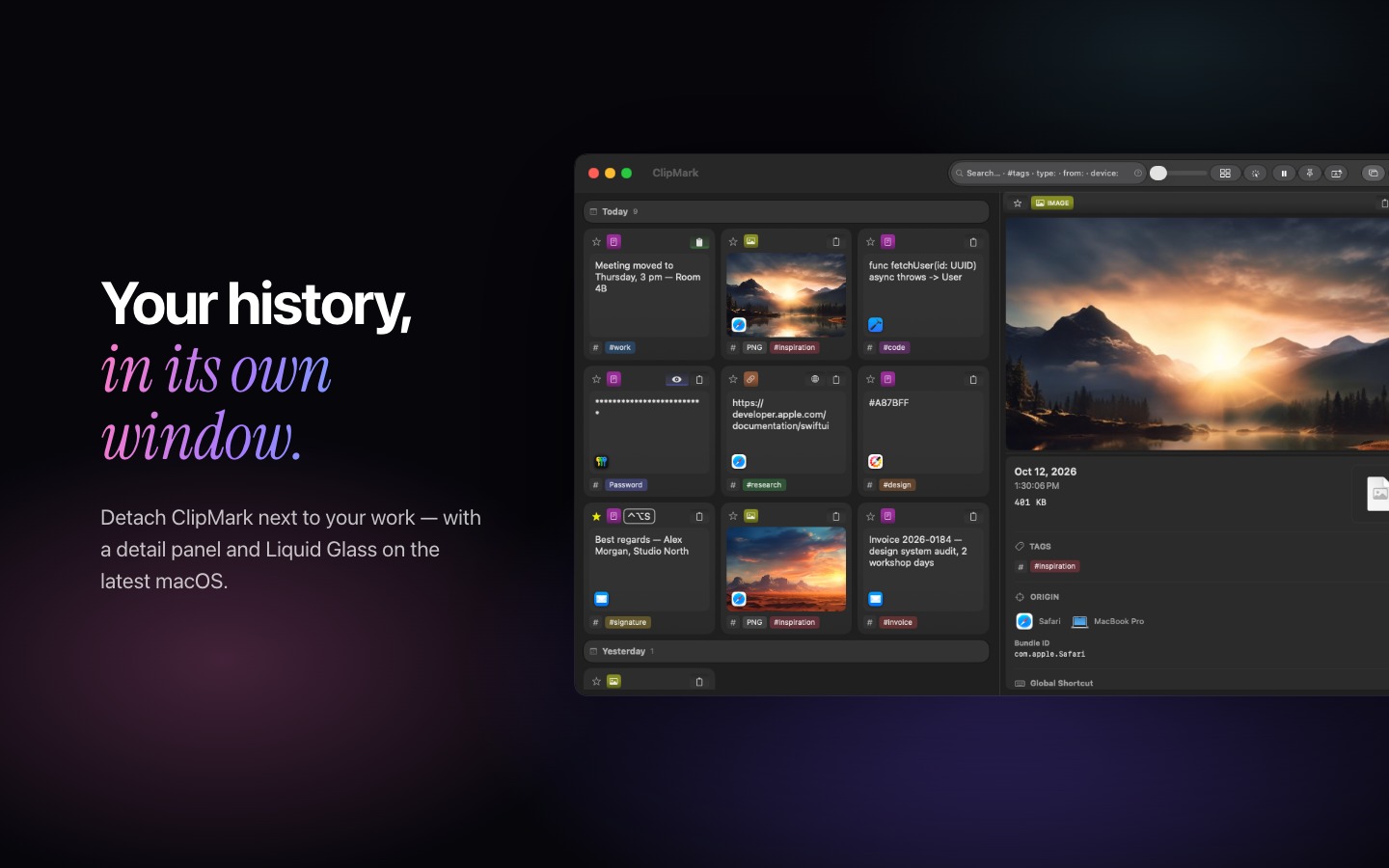
- Liquid Glass design & new app icon
- Native Swift & SwiftUI application
- One-time purchase — no subscription

Screenshots
1440 × 900 px, JPEG format. Click any screenshot to download it.


Founders

Mario Heubach
Founder & CEO, Smart-Byte GmbH
Mario develops native applications for Apple platforms with a focus on productivity, thoughtful user experience and privacy-first software. His goal is to build tools that simplify everyday work without unnecessary complexity.
Photo (1024 × 1024 JPG)
Matthias Merkel
Co-founder & CTO, Smart-Byte GmbH
Matthias builds platforms, web and mobile apps and helps teams make technical decisions, with a focus on software architecture, AI and infrastructure. At Smart-Byte he is responsible for infrastructure and the cloud.
Photo (800 × 800 JPG)About Smart-Byte
Smart-Byte GmbH is an independent software company based in Germany, focused on building high-quality native applications for Apple platforms.
The company specializes in productivity software, developer tools and carefully crafted user experiences that combine performance, simplicity and privacy.
Contact & Usage
Press inquiries, review copies, and interview requests:
Mario Heubach — Founder & CEO, Smart-Byte GmbH
support@smart-byte.com
All assets on this page may be used for editorial coverage of ClipMark.